
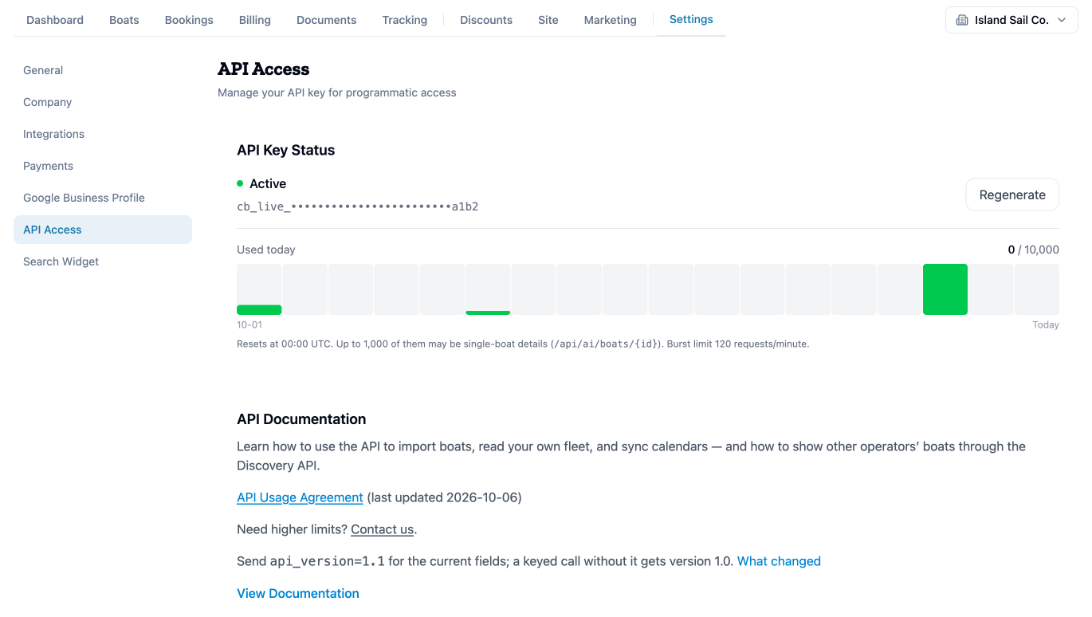
To get your charter.boats API key, open Settings, then API Access. Tick the box to accept the API Usage Agreement and click Generate API Key. Copy the key straight away: it is shown only once.
You need a key only if you, or someone who builds software for you, want to connect your own tools to charter.boats. Running your boats on the site needs no key.
Where to find it
- In your dashboard, open Settings.
- Click API Access.
The same page is also under My Settings, then API, in the menu behind your picture at the top right. Either way, the key belongs to you, the person signed in, not to the company. Every team member who needs one gets their own.
How to get your first key
- Click the API Usage Agreement link and read it.
- Tick the box under it.
- Click Generate API Key.
- A green box shows Your New API Key. Click Copy and keep the key somewhere safe, for example a password manager.
The box says it plainly: Copy this key now. It won't be shown again. Once you leave the page, only the start and the end of the key are shown. The key starts with cb_live_.
Treat the key like a password. Anyone who has it can act on charter.boats as you.
If you lost your key, or someone else has it
- Click Regenerate.
- Confirm This will invalidate your existing API key. Continue?
- Copy the new key from the green box.
The old key stops working at once. Update it everywhere you used it.
How much you can use it
Under API Key Status you see Used today, with today's calls and your daily limit, and a bar for each day since your first call. The count starts again at 00:00 UTC. The line under it gives your two other limits: how many of the day's calls may be single-boat details, and how many calls per minute you can make. Need more? Click Contact us on the same page.
Using the boat rental API
The key goes in the X-API-Key header of each call. Quick Example, at the bottom of the page, shows a call that imports a boat. Send api_version=1.1 to get the current fields; a call with a key but without it gets version 1.0.
What you can do with it, such as importing boats, reading your own fleet, syncing calendars and showing boats through the Discovery API, is explained in the documentation. Click View Documentation, or open docs.charter.boats/api.
For the other screens in your dashboard, see the Owner Dashboard guide. If something on this screen does not match what you see, ask Mermaid in the chat, or write to support@charter.boats.