
If your boat comes to charter.boats from MMK or Nausys, you can switch it to your own prices in the boat editor. Open the boat, change Pricing source to Direct — I set prices here, and click Switch. Only the company owner can do this. You can switch back to MMK or Nausys the same way.
What the pricing source decides
Every boat has one pricing source. It decides where the boat's prices, extras and availability come from.
On MMK or Nausys, that system sends us the prices, extras and availability. MMK or Nausys also updates the boat's details, except any detail you change on charter.boats. Your edits are kept.
On Direct, you set the prices, extras and availability yourself, here on charter.boats.
Where to find it
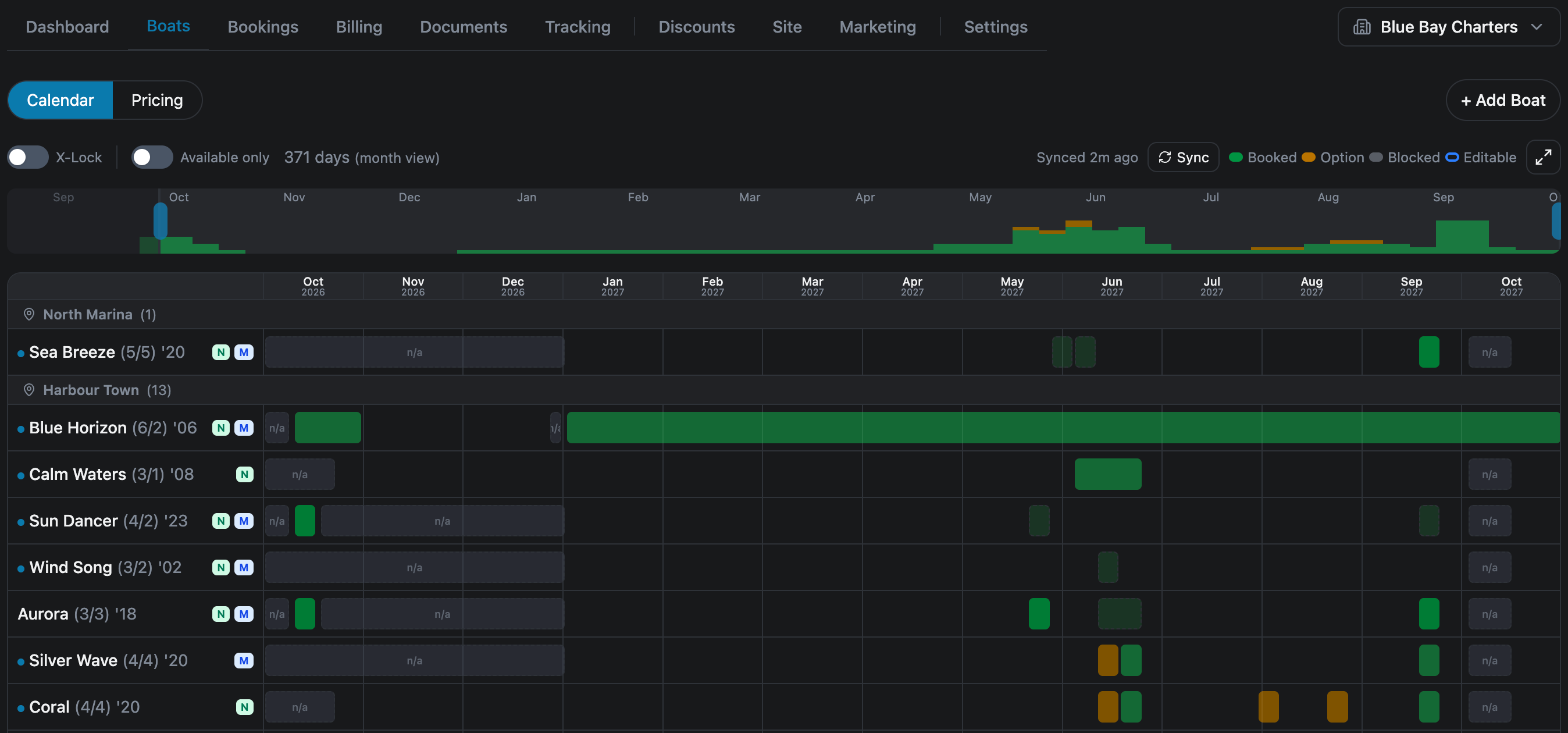
- In your dashboard, open Boats. The Calendar view lists all your boats.
- Look at the small badges next to each boat. M means the boat is linked to MMK. N means Nausys. D means Direct.
- Click the boat's name. The boat editor opens.
- The Pricing source box is at the top, under the boat's name.
The list in the box has up to three choices: Direct — I set prices here, MMK (Booking Manager) and Nausys. MMK and Nausys only appear if the boat is linked to that system. A boat you added yourself, with no MMK or Nausys link, has only Direct, so the list is greyed out.
How to switch a boat to your own prices
- In the Pricing source box, pick Direct — I set prices here. Nothing changes yet.
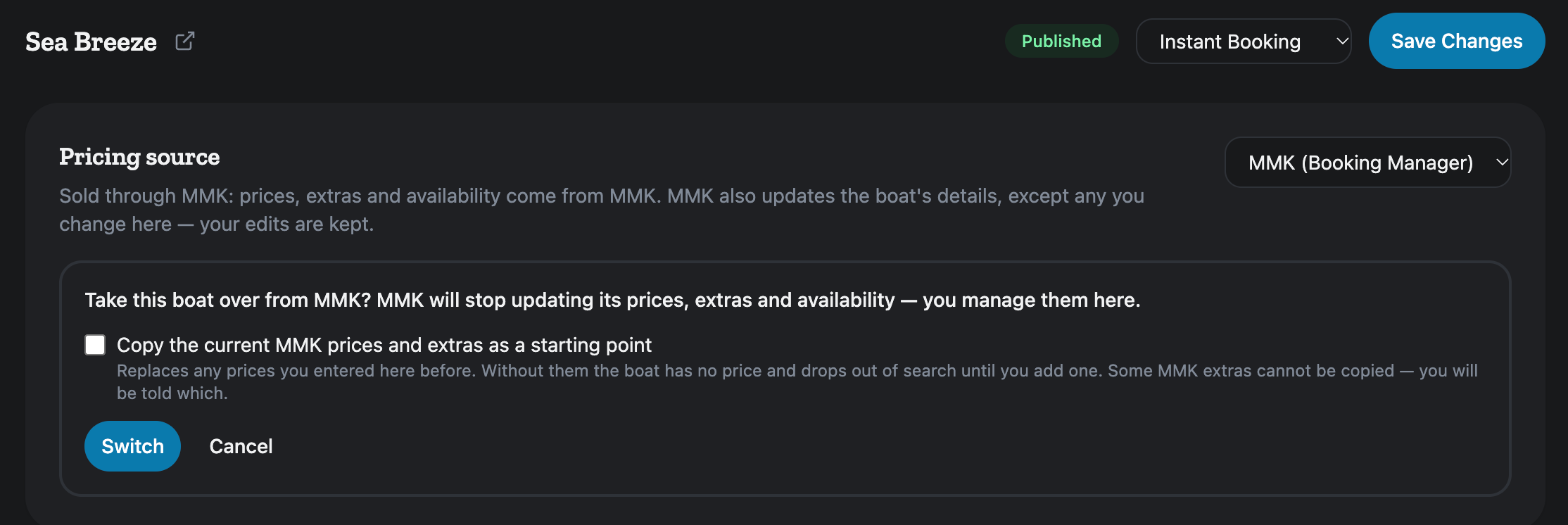
- A box asks: Take this boat over from MMK? MMK will stop updating its prices, extras and availability — you manage them here. (It names Nausys if the boat is on Nausys.)
- Decide whether to tick Copy the current MMK prices and extras as a starting point. It is not ticked unless you tick it. See below.
- Click Switch. Or click Cancel to leave the boat as it is.
- The message Now sold through Direct confirms the change.
Should you copy the prices?
Tick the box if you want to start from the prices and extras MMK or Nausys has today, then adjust them. This is the easier start for most operators.
Two things to know before you tick it. First, the copy replaces any prices you entered on charter.boats before. Second, if you do not copy, the boat has no price after the switch. It drops out of search until you add one.
Some extras cannot be copied. If that happens, the page lists each one by name under These extras were not copied — add them here by hand:. Add those yourself in Additional Fees.
If MMK or Nausys has nothing to copy for the boat, the tick box is not shown. The page says so, and whatever you entered here stays as it is.
After the switch
Scroll down the boat editor. The Pricing section now has + Add Price, and Additional Fees has + Add Fee. Set your prices and extras there. You manage the boat's availability on Boats, in the Calendar view.
While a boat is on MMK or Nausys, those two sections say Prices come from MMK. To set your own, switch the pricing source to Direct. That is the sign the boat is not on Direct yet.
How to switch back to MMK or Nausys
- In the Pricing source box, pick MMK (Booking Manager) or Nausys.
- A box asks: Sell this boat through MMK? Its prices, extras and availability will come from MMK.
- Click Switch.
The boat's prices and extras then come from that system again. A boat linked to both MMK and Nausys can move between the two in the same way.
If MMK or Nausys no longer lists the boat, the switch is refused with a message such as MMK no longer lists this boat.
If you cannot change it
If the list is greyed out with Only the company owner can change where this boat is sold., you are signed in as a team member. Ask the owner of your company account to make the switch. If the list is greyed out with no message, the boat is not linked to MMK or Nausys, so Direct is its only choice.
For the other screens in your dashboard, see the Owner Dashboard guide. If something on this screen does not match what you see, ask Mermaid in the chat, or write to support@charter.boats.