
Your clients' bookings and your earnings are in the Agent Dashboard. Open the account menu and click Agent Dashboard. Overview shows what you have earned and your recent commissions. Bookings lists every option and booking you made, with its status and when an option expires.
Overview: what you have earned
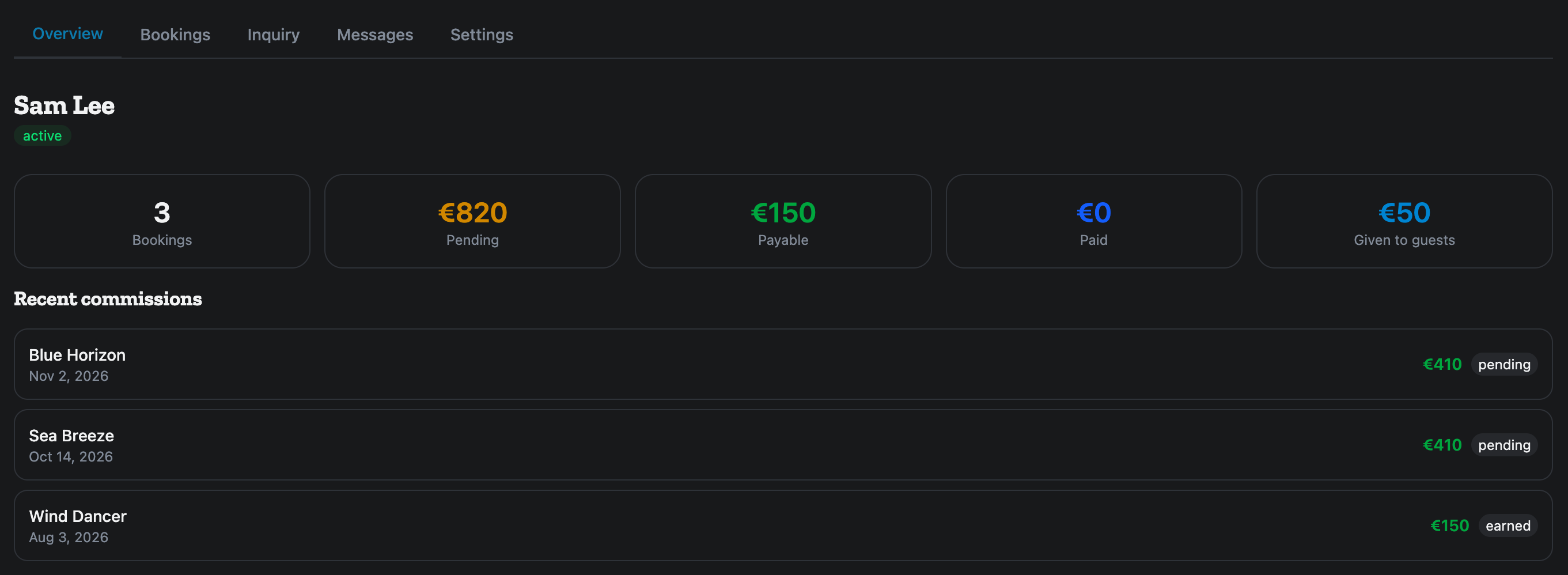
The top of Overview has five tiles:
- Bookings: how many bookings have earned you a commission.
- Pending: commission on bookings whose charter has not finished yet.
- Payable: commission you have earned and we have not paid out yet.
- Paid: commission already paid to you.
- Given to guests: the total of the discounts you gave your clients out of your commission.
Below them, Recent commissions lists one line per booking: the boat, the date, the charter price, what you gave the client when you gave a discount, your commission, and its status, pending, earned, paid or cancelled. Click a line to open the booking. Before your first booking it reads No commissions yet.
Bookings: every option and booking
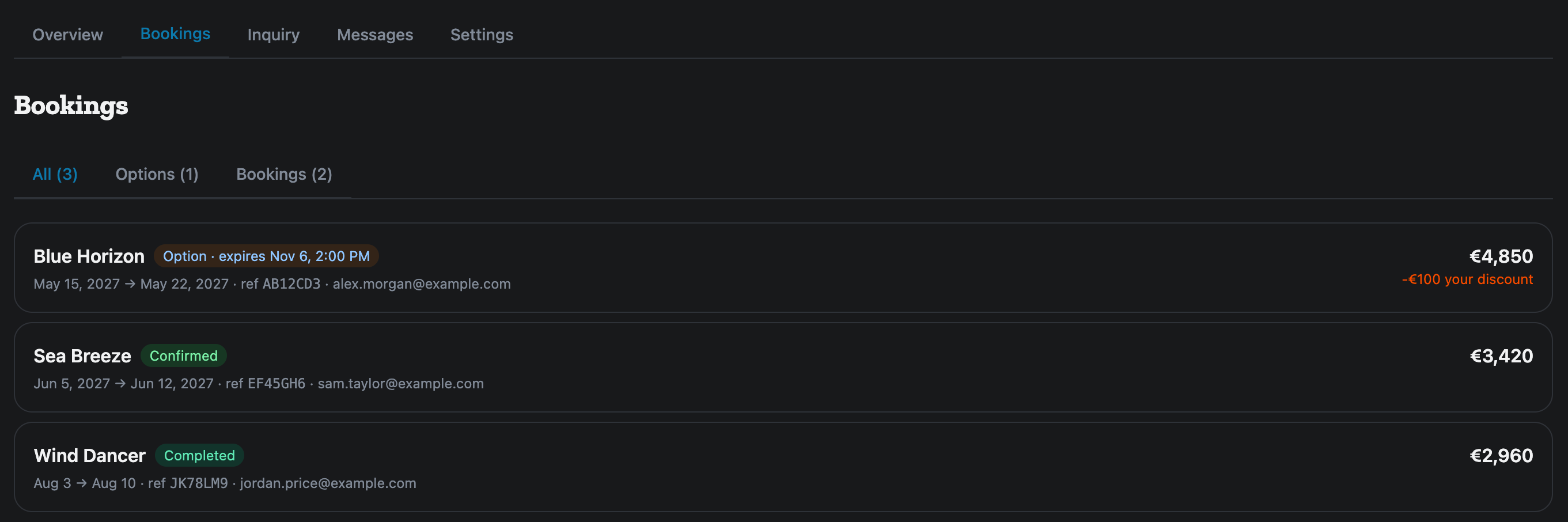
The Bookings tab has three filters:
- All: everything.
- Options: holds and waitlist places that are not paid yet.
- Bookings: the rest.
Each line shows the boat, its status, the dates, the booking reference, your client's email, the Total, and your discount when you gave one. Click a line to open the booking, where you also find the Guest link and the discount while it is unpaid. A waitlist line opens the boat's page instead.
The status words
- Option · expires …: you hold the dates and your client has not paid. The time is when the hold runs out.
- On waitlist: you are in line behind someone else's option, and the line shows when theirs expires.
- Pending Approval: the operator has not confirmed yet.
- Confirmed: paid and confirmed.
- Balance Pending: the deposit is paid and the rest is due later.
- Completed and Cancelled.
The full list is in What do Option, On waitlist and the other booking statuses mean?. To place an option, see How do I hold a boat for my client and send them the link to pay?.
Your agent settings
The Settings tab shows your agent status. Only our team can change it.
- Trading name (optional): fill it in only if you trade under an agency name, and click Save. Left blank, you appear under your account name.
- Your profile: Edit profile changes your name and photo.
- Payout details: where you set how you are paid.
If something here does not match what you see, ask Mermaid in the chat, or write to support@charter.boats.
This article is part of the agent guide.