
To ask a question before you book, open the boat's page and send an inquiry from the booking panel: click Have a question? Send an inquiry (or Or send an inquiry instead under the book button), write your question and click Send Inquiry. Mermaid, our charter assistant, answers you first. When your message is a real request about the boat, the boat's owner or charter company is brought into the same conversation. Whether it is a yacht rental by owner or a charter company's fleet, every conversation stays in your messages on charter.boats.
You need to be signed in to send. If you are not, the page takes you to sign in first; see How do I sign in, reset my password or use a passkey?.
How to send an inquiry from a boat page
- Open the boat's page.
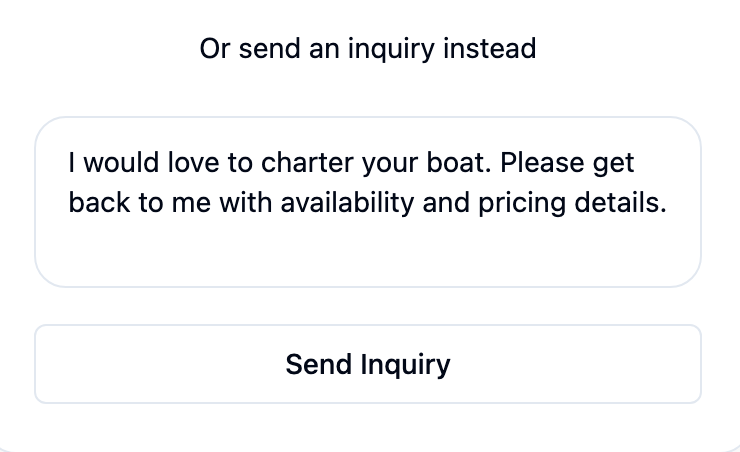
- In the booking panel, click Have a question? Send an inquiry. On a boat you can book straight away, the link reads Or send an inquiry instead and sits under the book button.
- A message is written for you, with your dates if you picked them. Change it to your own question.
- Click Send Inquiry. The panel says Inquiry sent! and offers View your messages.
Who answers your message
Mermaid answers first, in the same conversation. She knows the boat, its prices and its open dates, so most questions are answered straight away. A hello, or a question she can answer herself, is not passed on to the owner.
Once the conversation holds a real request for the boat, the owner or charter company is brought in and sees the whole conversation from then on. The same happens once you book. After that, their replies and Mermaid's appear together in one thread.
Where to find the conversation
Click the chat icon at the top of any page to open your messages. Each boat you asked about has its own conversation, with the boat's name on it. Type in the box at the bottom to carry on.
New replies are also emailed to you. Reply to that email and your answer lands in the same conversation; you do not need to open the site. Which notifications you get is set in How do I change my notifications, sign-in email or delete my account?.
In the conversation's side panel, Personal Notes is a place for your own notes on that boat. They are Only visible to you.
After you have paid
Once your booking is paid, the booking page shows the charter company's card with a Message button, which opens the same conversation. Before payment, use the boat page's inquiry or your messages instead.
If you have a question that is not about a particular boat, ask Mermaid in the chat on any page, or write to support@charter.boats.
This article is part of the booking help.