
Every one of your charter boat bookings carries one status word, shown as a badge on its card in My Bookings and again at the top of the booking's own page. The word tells you where the booking stands and whether anything is waiting on you. Most of the time nothing is: only Awaiting payment and Balance Pending ask you to pay.
Where to find your bookings
Open My Bookings from your account menu. Bookings sit under three tabs: Upcoming, Past and Cancelled. Each card shows the boat, the place, the dates and the status badge, plus a separate badge when there is a damage claim on the booking. A charter that is under way stays in Upcoming until its last day. Cancelled holds both cancelled and declined bookings. If a tab is empty, it says so, for example No upcoming bookings, with a Find a Boat button.
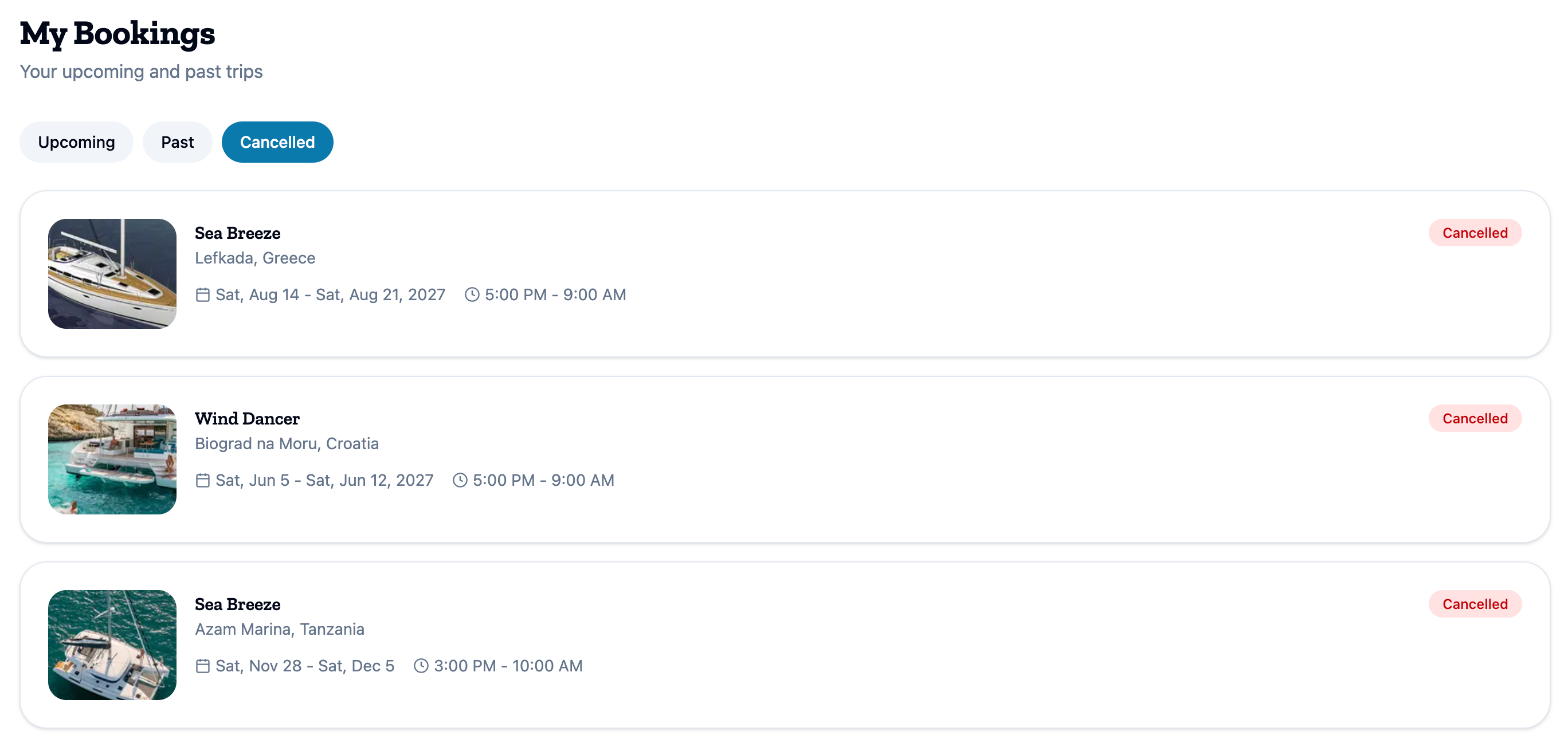
Click a card to open the booking page. It shows Booking # with your reference, the same badge, and one sentence that says what the status means for you.
What each status means
Pending Approval: the charter company is looking at your booking. There is nothing for you to do.
Awaiting payment: the dates are held for you, and nothing has been paid yet. The badge can add when the hold runs out, for example Awaiting payment · expires with a date and time. The booking page says This is a reservation. Complete payment to turn it into a confirmed booking. Pay before the hold expires, or the dates are released. How to pay is in How do I pay for my booking, pay the balance or get a receipt?.
Balance Pending: you chose to pay in two parts, the first part is paid, and the balance is still due. The badge is green because your charter is on. The booking page shows when the balance is due.
Confirmed: the booking is paid. The booking page says You're all set! It may ask you to complete the passenger list.
Completed: the charter is over. The booking page asks How Was Your Trip? with a Leave a Review button.
Declined: the charter company could not accept the booking, and the dates are released. It moves to the Cancelled tab.
Cancelled: the booking was cancelled. The booking page says who cancelled it and when: This booking was cancelled by you, by the owner or by the system, followed by the date. Refunds are covered in How do I cancel my booking, and what do I get back?.
Waitlist places
On waitlist: you are in line for dates another guest is holding. The badge can add the date that guest's hold runs out. The card says You're on the waitlist — we'll email you if this frees up. and has a Leave waitlist button. Clicking the card opens the boat page with your dates. A waitlist place is not a booking, and nothing is paid for it. If the dates free up and you are next, the place turns into your booking, with the status Awaiting payment.
Expired: the charter dates arrived while you were still waiting. The place moves to Past with This waitlist place expired — the charter dates have started. How the waitlist works is in How does the waitlist work?.
What to do next
If the badge reads Awaiting payment or Balance Pending, open the booking and pay before the date it shows. For any other status, there is nothing to do. If you are booking for the first time, How do I book a boat on charter.boats? walks through it.
This article is part of the booking help. If something here does not match what you see, ask Mermaid in the chat, or write to support@charter.boats.